Footer Block
A footer block is a section at the bottom of a webpage or a document, typically containing essential information, navigation links, and other content relevant to the user. It's a key element of web design and user experience, serving multiple purposes, including navigation, legal disclaimers, and promotional content.
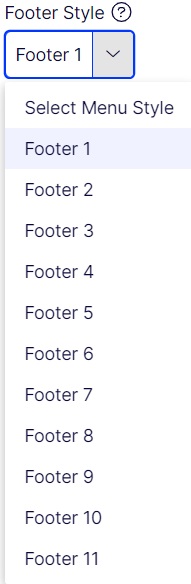
The footer Block Implementation is as follows. There are 11 types of footer HTMLs are there. Each type of footer implementation is explained below one by one.
Creating a Footer Block
Steps to create a footer block:
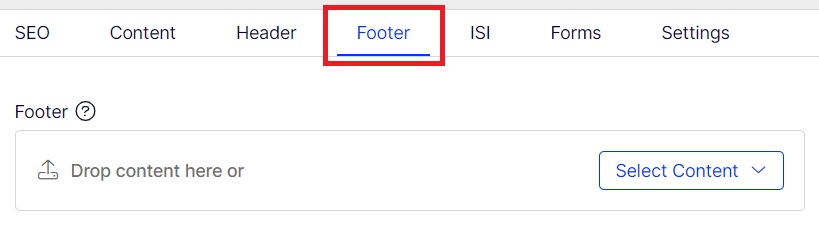
- Select footer tab.
- Find the footer section.
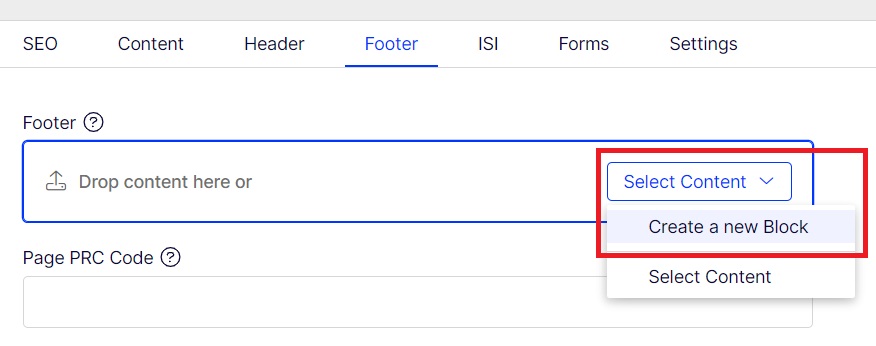
- Create a block inside footer section.
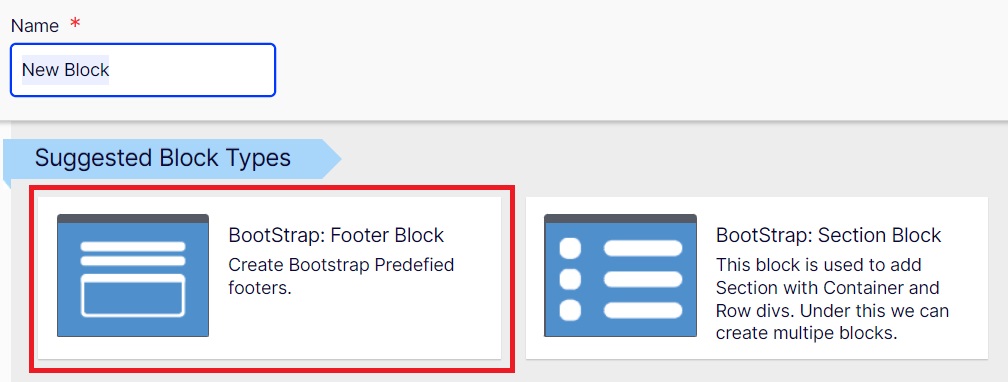
- Choose Bootstrap: Footer Block.
- Add all the required propertites.
Step 1
Step 2
Step 3
Step 4
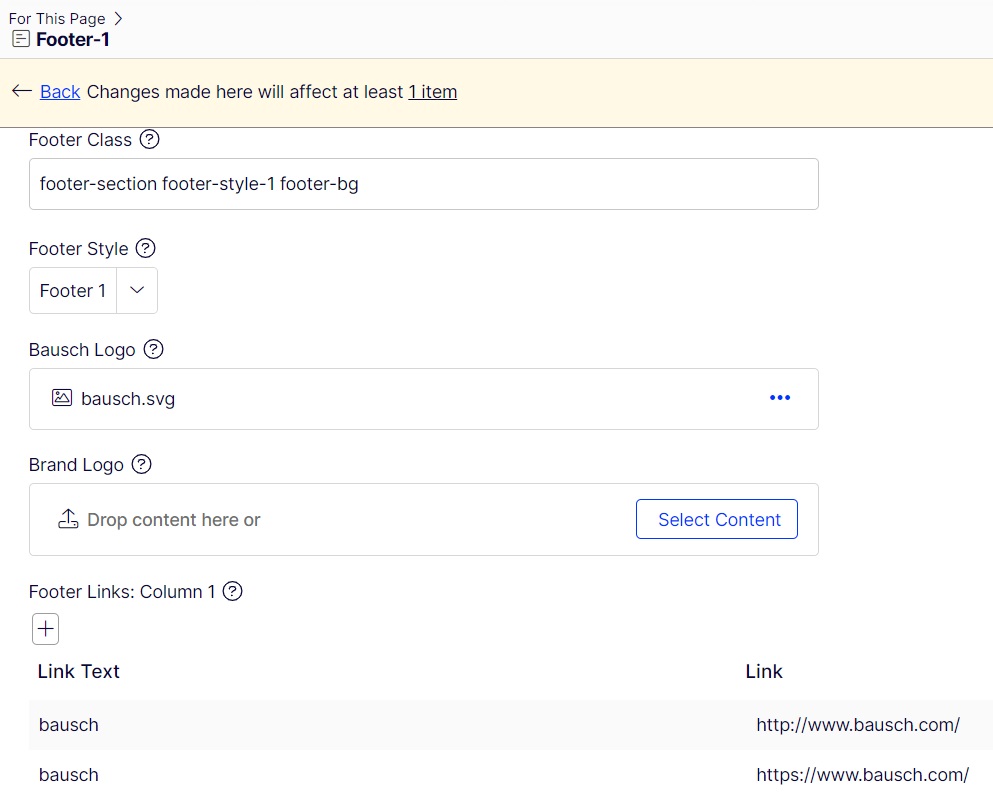
The Various properties are list below.
Footer Style:
This footer style can be chosen based on the Types of footer you select from the templates site.
Footer Class:
This holds the footer section classes.

Bausch Logo:
Use to hold the image file path of the Bausch logo in the website.

Brand Logo:
Used to hold image file path of Brand logo if any in the website.

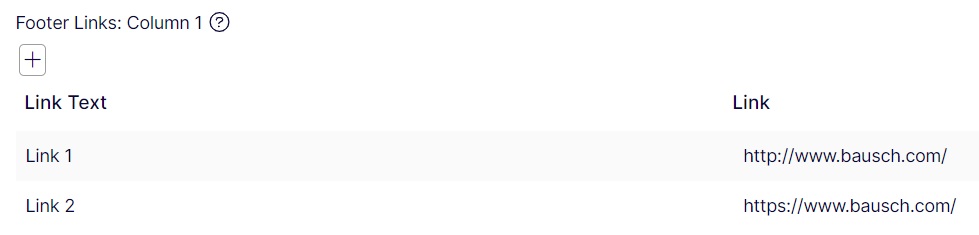
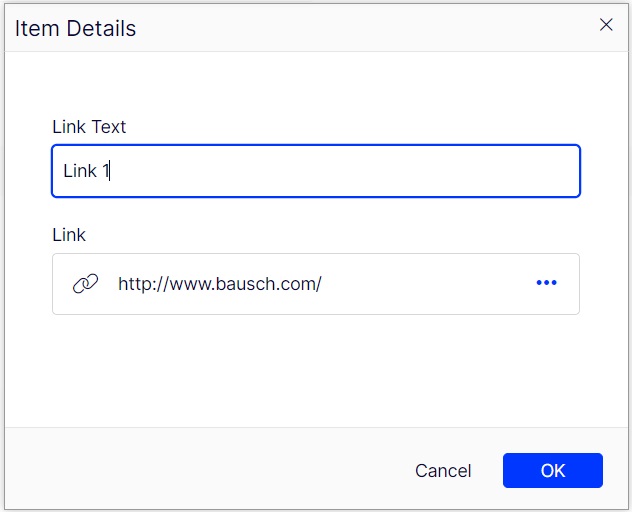
Footer Link - Column:
This has the link Text and the href link for the link. these links can be added using + button below the name. The adding link part is as below.
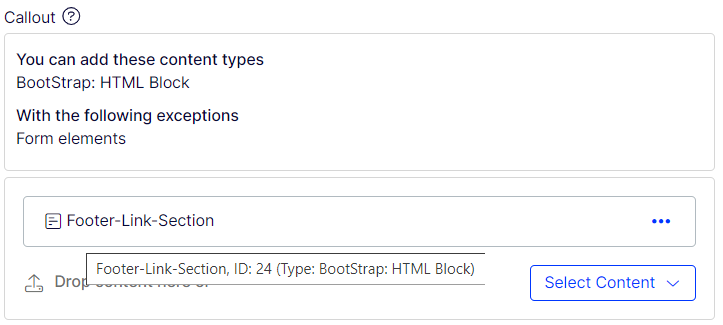
CallOut:
This section helps to add html Content though Bootstrap: HTML block .
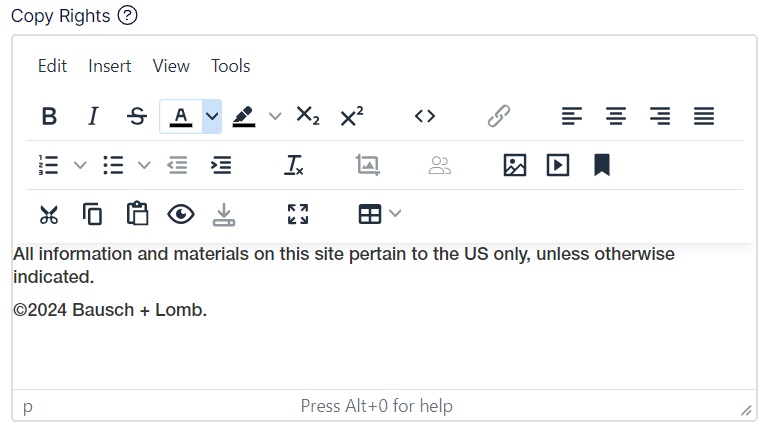
Copy Rights:
This section used to give copy rights details. P tags are used to update content.
FooterLinks:
This section helps to footer links for footer-5 and footer-6. Content update can be done using ul-li tags.
Social Media:
This section helps to build social media links as per Bausch standard. Using ul-li tags is used to update content.
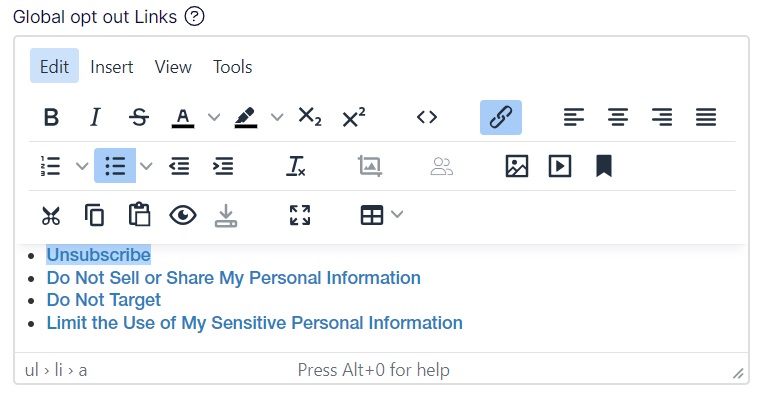
Global opt out Links:
This section helps to build opt out links as per Bausch standard. Using ul-li tags is used to update content.
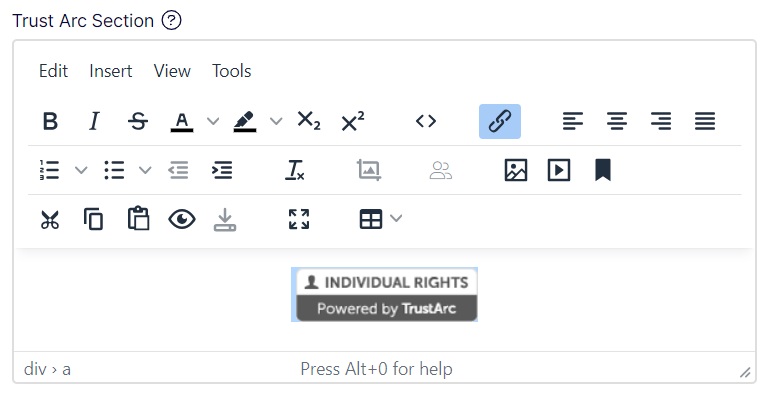
Trust Arc Section:
This section uses Bausch basic code for trust arc links. Content update can be done using div tags.
Footer style 1

Required property:
| 1 | Footer Class | footer-section footer-style-1 footer-bg |
| 2 | Footer Style | Footer 1 |
| 3 | Bausch Logo | Image path |
| 4 | Footer Links: Column 1 | Links list (link name and URL) |
| 5 | Footer Links: Column 2 | Links list (link name and URL) |
| 6 | Footer Links: Column 3 | Links list (link name and URL) |
| 7 | Copy Rights | P tag content |
| 8 | Global opt out Links | ul-li content as per Bausch standards |
| 9 | Trust Arc Section | ul-li content as per Bausch standards |
Footer style 2

Required property:
| Footer Class | footer-section footer-style-2 footer-bg text-center text-lg-start | |
| Footer Style | Footer 2 | |
| Bausch Logo | Image path | |
| Brand Logo | Image path | |
| Footer Links: Column 1 | Links list (link name and URL) | |
| Copy Rights | P tag content | |
| Global opt out Links | ul-li content as per Bausch standards | |
| Trust Arc Section | ul-li content as per Bausch standards |
Footer style 3

Required property:
| Footer Class | footer-style-3 footer-section | |
| Footer Style | Footer 3 | |
| Bausch Logo | Image path | |
| Brand Logo | Image path | |
| Footer Links: Column 1 | Links list (link name and URL) | |
| Copy Rights | P tag content | |
| Global opt out Links | ul-li content as per Bausch standards | |
| Trust Arc Section | ul-li content as per Bausch standards |
Footer style 4

Required property:
| Footer Class | footer-style-4 footer-bg footer-section | |
| Footer Style | Footer 4 | |
| Bausch Logo | Image path | |
| Brand Logo | Image path (150x150) | |
| Footer Links: Column 1 | Links list (link name and URL) | |
| Copy Rights | P tag content | |
| Global opt out Links | ul-li content as per Bausch standards | |
| Trust Arc Section | ul-li content as per Bausch standards |
Footer style 5

Required property:
| Footer Class | footer-style-5 footer-section footer-bg | |
| Footer Style | Footer 5 | |
| Bausch Logo | Image path | |
| Brand Logo | Image path (150x150) | |
| Footer Links: Column 1 | Links list (link name and URL) | |
| Copy Rights | P tag content | |
| Footer Links: | div-ul-li content as per Bausch standards | |
| Social Media | div-ul-li content as per Bausch standards | |
| Global opt out Links | ul-li content as per Bausch standards | |
| Trust Arc Section | ul-li content as per Bausch standards |
Footer style 6

Required property:
| Footer Class | footer-style-6 footer-section footer-bg | |
| Footer Style | Footer 6 | |
| Bausch Logo | Image path | |
| Brand Logo | Image path (150x150) | |
| Footer Links: Column 1 | Links list (link name and URL) | |
| Copy Rights | P tag content | |
| Global opt out Links | ul-li content as per Bausch standards | |
| Trust Arc Section | ul-li content as per Bausch standards |
Footer style 7

Required property:
| Footer Class | footer-style-7 | |
| Footer Style | Footer 7 | |
| Bausch Logo | Image path | |
| Brand Logo | Image path (150x150) | |
| Callout | Bootstrap: HTML Block used to fill in content as required | |
| Copy Rights | P tag content | |
| Footer Links: Column 1 | Links list (link name and URL) | |
| Social Media | div-ul-li content as per Bausch standards | |
| Global opt out Links | ul-li content as per Bausch standards | |
| Trust Arc Section | ul-li content as per Bausch standards |
Footer style 8

Required property:
| Footer Class | footer-wrap-section footer-style-8 mid-footer footer-section footer-bg text-center text-lg-start pb-3 | |
| Footer Style | Footer 8 | |
| Bausch Logo | Image path | |
| Brand Logo | Image path (150x150) | |
| Callout | Bootstrap: HTML Block used to fill in content as required | |
| Copy Rights | P tag content | |
| Footer Links: Column 1 | Links list (link name and URL) | |
| Social Media | div-ul-li content as per Bausch standards | |
| Global opt out Links | ul-li content as per Bausch standards | |
| Trust Arc Section | ul-li content as per Bausch standards |
Footer style 9

Required property:
| Footer Class | footer-style-9 footer-section footer-bg text-center text-lg-start | |
| Footer Style | Footer 9 | |
| Bausch Logo | Image path | |
| Brand Logo | Image path (150x150) | |
| Footer Links: Column 1 | Links list (link name and URL) | |
| Copy Rights | P tag content | |
| Social Media | div-ul-li content as per Bausch standards | |
| Global opt out Links | ul-li content as per Bausch standards | |
| Trust Arc Section | ul-li content as per Bausch standards |
Footer style 10
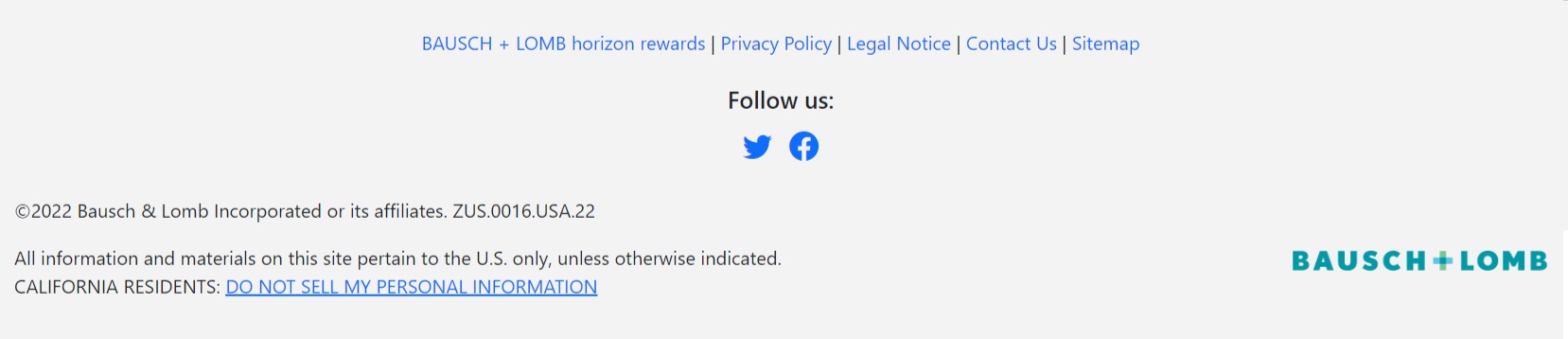
Required property:
| Footer Class | footer-style-10 footer-section footer-bg | |
| Footer Style | Footer 10 | |
| Bausch Logo | Image path | |
| Brand Logo | Image path (150x150) | |
| Copy Rights | P tag content | |
| Footer Links: | ul-li content as per Bausch standards | |
| Social Media | div-ul-li content as per Bausch standards | |
| Global opt out Links | ul-li content as per Bausch standards | |
| Trust Arc Section | ul-li content as per Bausch standards |
Footer style 11

Required property:
| Footer Class | footer-style-11 footer-section footer-bg | |
| Footer Style | Footer 11 | |
| Bausch Logo | Image path | |
| Brand Logo | Image path (150x150) | |
| Footer Links: Column 1 | Links list (link name and URL) | |
| Footer Links: Column 2 | Links list (link name and url) | |
| Copy Rights | P tag content | |
| Global opt out Links | ul-li content as per Bausch standards | |
| Trust Arc Section | ul-li content as per Bausch standards |
